
MORPHER
A downloadable morpher
Welcome to MORPHER, the extension that brings morphing to Aseprite!
I WILL SEND YOU A DOWNLOAD KEY IF YOU ASK IN THE COMMENT SECTION, for as long as it's in beta. Don't hesitate to ask!
----------------------------------------
I created 4 animation engines, 4 different tabs in the .lua extension.
More are (actively) in the work
Here is a short presentation of the engines:
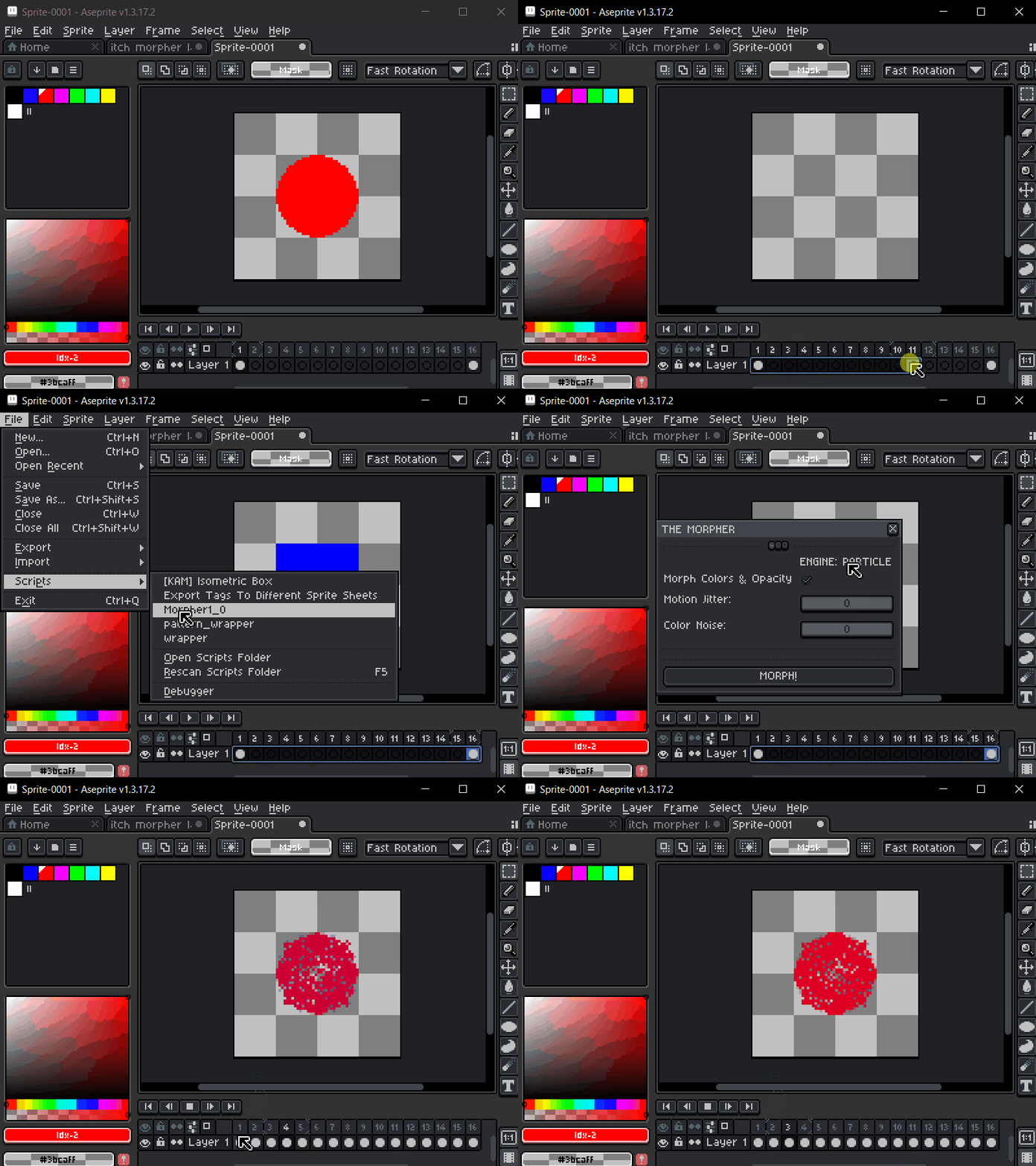
ENGINE 1. PARTICLE
This engine treats your art like a cloud of dust or a "vortex." It calculates the center of your shape and sorts every pixel by its angle.

By using Polar Coordinates, it pairs pixels from the start and end shapes based on their circular position. This ensures that as they move, they follow a "swirly," organic path rather than a straight line.

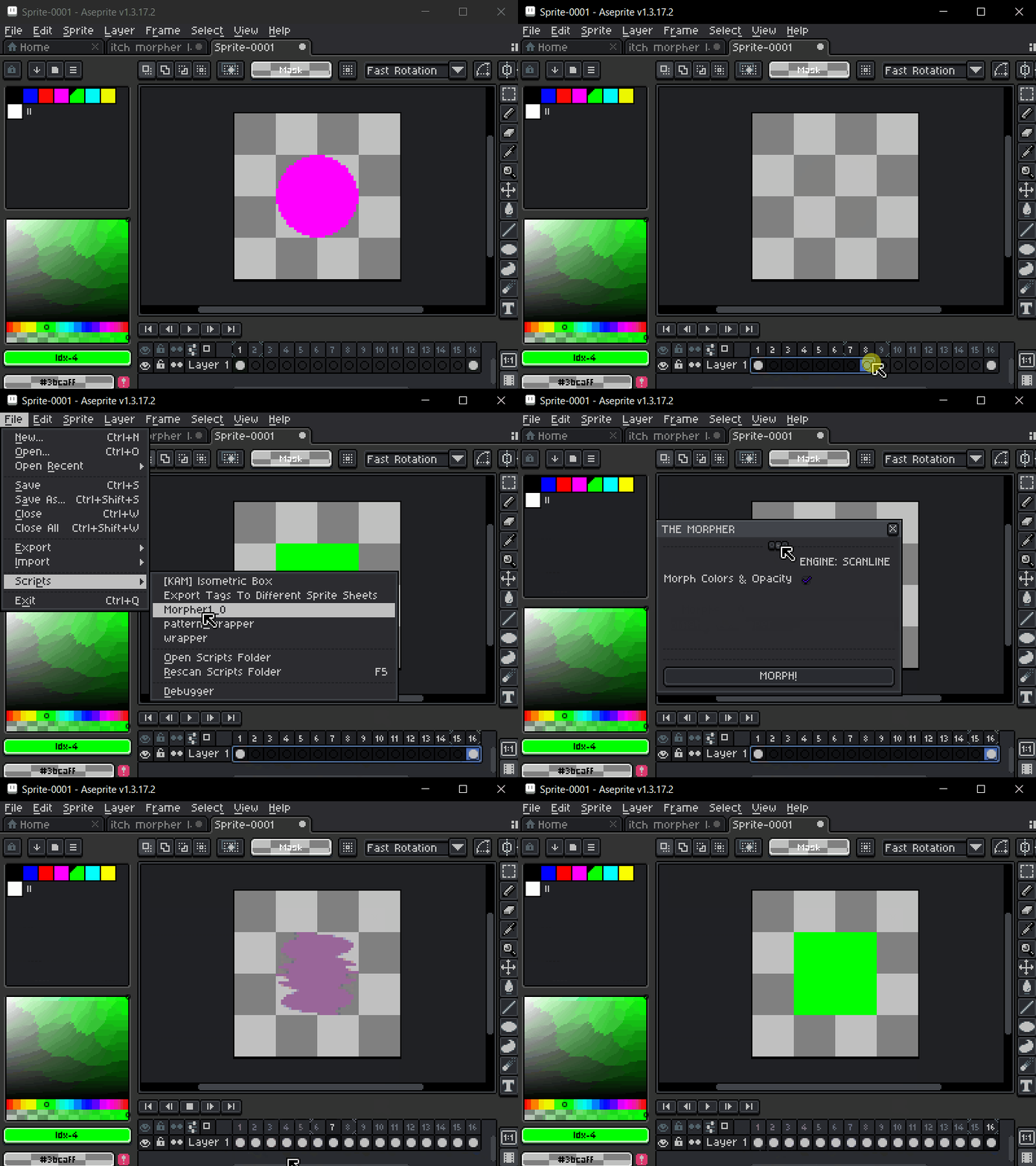
ENGINE 2. SCANLINE
This engine acts like a 3D printer or a scanner. It looks at your image row-by-row, from top-to-bottom and left-to-right, to create a rigid structural map.

It uses Linear 1:1 Mapping. Because it preserves the "grid" order of the pixels, the horizontal and vertical relationships stay intact.

ENGINE 3. LIQUID SMEAR
By spatially pairing pixels from left to right and calculating their linear paths over time, the engine paints continuous, variable-thickness geometric trails between each pixel's previous and current coordinates to simulate fluid motion blur.
To express this as a formula, we are basically calculating a "viscous capsule" for every pixel at every frame.

ENGINE 4. BACTERIAL
This is a biological simulation where pixels act like a living colony. It doesn't move pixels; instead, it decides which pixels should be "born" and which should "die" based on their neighbors.

It uses Cellular Automata and Distance Fields. It creates a "scent" from the target shape; on every frame, pixels are allowed to spawn only if they are touching an existing pixel, and move closer to that target scent.

----------------------------------------
How do you use MORPHER ?
After sliding the .lua extension in Aseprite script's folder, you will need three things:
1 - A "starter" cel (or frame) with some drawn pixels on it, on the layer of your choice.
2 - As many empty cels as you need your morphing to last, after your "starter" frame.
3 - A "destination" cel, with (hopefully) a different set of drawn pixels at the end.
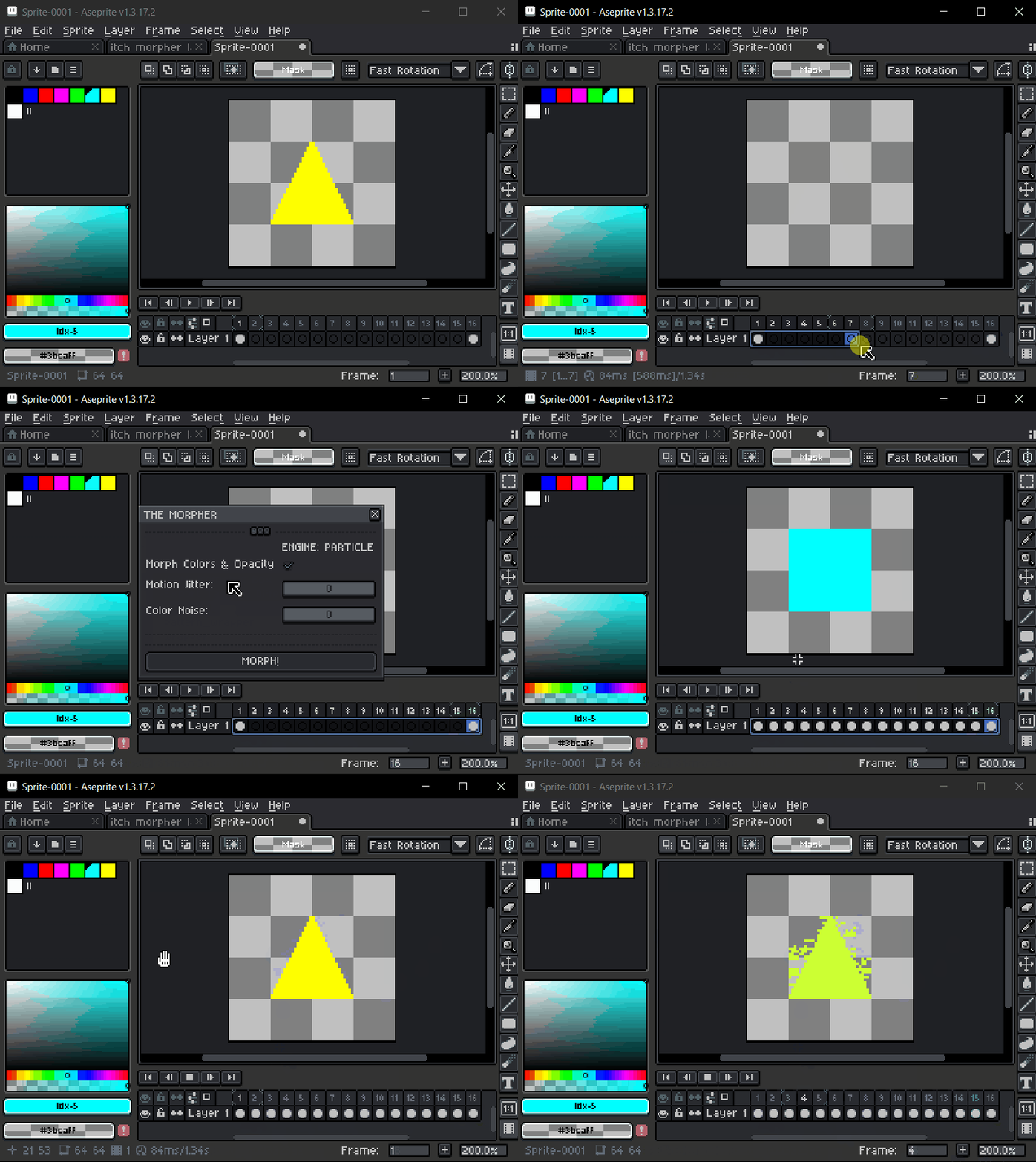
Just select the "starter" cel ; drag and select the empty cels all the way up to the "destination" ; go to -> File -> Scripts -> Morpher, choose which engine you want to use, click on the MORPH! button and... Voilà!
You can enjoy morphing!
----------------------------------------
Notes :
- All engines now support "chain morphing", which means you can have as many "destination" cels as you want, one after the other, just make sure to leave some empty frames in between them, and to select the whole chain.
- All engines now support color and opacity morphing, which means you can smoothly change color and opacity, and play with transparent <-> opaque morphing effects.
So you can just use MORPHER to quickly change the color and/or opacity of two identical shapes over however many frames you want.
----------------------------------------
Finally, I love Aseprite, I love its community, and I truly believe that with your help and support, we can make MORPHER an even greater tool.
So don't be shy, comment what you think about it, send ideas and suggestions, I will read them, and I will take them into consideration for future builds.
Much love, it's MORPHIN' TIME! (I had to do it...)
MagicBerry
Purchase
In order to download this morpher you must purchase it at or above the minimum price of $5 USD. You will get access to the following files:
Development log
- MORPHER devlog74 days ago
- 0.4 update74 days ago
Comments
Log in with itch.io to leave a comment.
can i have code? this looks so beautiful and fun
You got it <3
I’d love a code too! itch@youngchief.xyz :)
You got it <3
i'd love a code if that's possible to give it a try :) you can use: (email removed but creator sent the key <3)
You got it <3 !
this looks super sick. can i get a download key for this? if you need my email send it to disstrack47k@gmail.com
You got it! Check your mailbox! <3
Thank you so much this extension looks awesome. I hope more people find out about it.
What do you mean by download key?
I mean I will give you a download code for free to download the extension for as long as it is beta. Just make sure to leave some feedback. (Also you won't have access to future updates, unless you buy it)
Do you have an email where i can send it to you privately?
Thanks! But I just bought it to help you out! I'll let you know how it works!
Ayyy, thank you kind sir! Please let me know what you think!